


The security of your personal data largely depends on the strength of your passwords, so you should distinguish between weak and strong passwords.
The importance of password security extends far beyond personal security, as corporate breaches due to compromised credentials affect millions of people and cost billions of dollars annually. In fact, a recent report from Verizon shows that 81% of data breaches related to hacking are due to theft or weak passwords.
Learn the difference between weak and strong passwords, examples of each, and how to make sure you always use strong passwords.
Weak Password: Definition
A weak password is a combination of characters that is easy for friends, attackers, or password cracking programs to pick up. While your passwords may meet credential strength guidelines, other factors, such as reuse, can make them vulnerable.
Examples of weak passwords
According to the Password Misconduct in the Workplace report, 62% of employees share passwords via text messages and email. Exposure to outside parties and poor password sharing practices are common security mistakes.
Take a look at these common examples of weak passwords and compare them to your current password creation and security practices:
- Short passwords are one word such as Igloo or Peanuts and a number phrase such as 12345.
- Recognized keyboard shortcuts – look at your keyboard and look for QWERTY or 1QAZ2WSX.
- Personal information in passwords – including information such as date of birth, street name and name in passwords. For example, the password John99 or Maplewood09 for John, who was born in 1999 and lives at 9 Maplewood Street.
- Passwords were changed by a single character – switching from lowercase to uppercase or adding a period, ampersand or exclamation mark for “different” passwords in different accounts. For example, Alice2004 and AlicE2004.
- Common combinations. The word “password” is one of the ten most popular passwords in the world.
- Repeated letters or numbers. Combinations like 55555 and bbbb are possibly the easiest to crack in the world. Strong Password: Definition
Strong passwords: definition
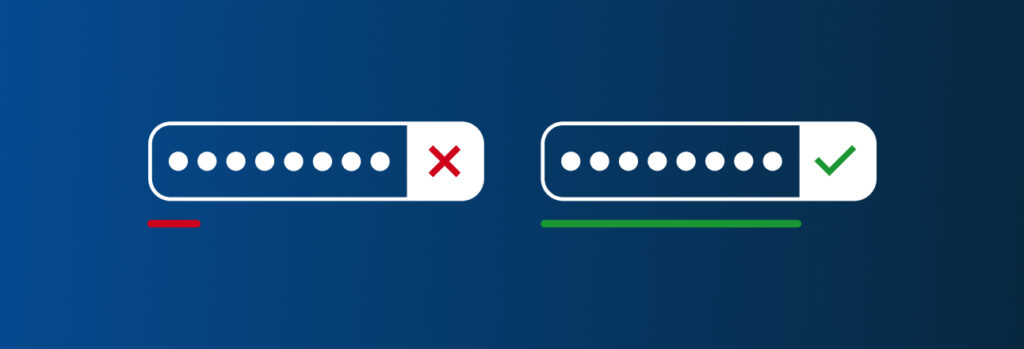
A strong password is a long combination of unique characters that is difficult for other people to guess or for technology to crack. The study shows that brute force attacks, which account for the majority of breaches due to weak passwords, targeted 26% of companies each week in mid-2021, up 160% from an average of 10% at the start of the year. Attackers also use password spraying or credentials to crack passwords.
Strong passwords: examples
Choosing a strong password doesn’t have to be a tedious process if you know what makes your credentials strong.
Let’s take a look at some of these best practices, with examples that distinguish weak passwords from strong ones, to help protect your accounts:
- Long combinations are long passwords with different types of characters, such as numbers, letters, and symbols. For example, your place of birth and year become N0r+Hc^R0|in^99.
- Passphrase. A sequence of words or longer lines of text is more reliable than a single phrase. For Todd, who likes pancakes, the code phrase might look like this: +0DD|iK3SPa^cAk3S.
- Mnemonic – create passwords inspired by important events for you. For example, a Cubs fan will remember a victory over the White Sox. So “my best moment is watching Billy Hamilton steal home and hit a home run in 2020” becomes mBMiWbhSHaHAhRI2020.
- Words that are not included in the dictionary. Dictionary words – formal or slang – are commonly known combinations of characters stored in a database that cybercriminals access with software to enter thousands of passwords per second. For example, bacon is a short five-letter word with the same type of characters; software can break it in no time. Use words and other types of symbols that only you understand. Random passwords
Random passwords
Random combinations are one of the most reliable types of passwords because they are not associated with users and cannot be easily guessed. However, while random passwords are effective, their complexity encourages users to write them down, which increases the vulnerability of such credentials, undermining the goal of uniqueness.
This is why password managers are important. Password management solutions make it easy for people to store and retrieve their credentials without using stickers or emailing them. In addition to password protection, the password generator offers strong and unique passwords for both existing and new network accounts.
Choose a password manager that will strengthen your credentials
Accounts you protect with password managers, some of which have end-to-end encryption, are far less likely to be leaked than passwords written down in a notebook or emailed to a friend or family member. Password managers keep passwords secure and allow you to set permissions for those you share with, such as View Only or Can Edit and Share. Password managers can also include a random password generator that automatically generates and stores new account credentials in your vault.
Password managers help you store, track and organize your credentials. They make it easy to create and store strong passwords for all your accounts.